Mealime Alternatives: What to Use After It Shuts Down
Mealime closes on 21 October 2026. Compare seven Mealime alternatives, from Meals Hub and Samsung Food to Kivella, and save your recipes before it ends.
Mealime will be discontinued on 21 October 2026. Albertsons Companies, which owns Mealime, is moving its recipes and planning tools into Meals Hub, a free section of its US grocery store apps.
If you don't shop at those stores, or live outside the US, you need another app. The right Mealime alternative depends on what you used it for. Was it ready-made plans, a home for your own recipes, or a shopping list that knows what's in your kitchen? We compare seven options based on each app's published features as of 5 October 2026.
What's happening to Mealime, and when
Mealime's closing notice says the app will be discontinued on 21 October 2026. Albertsons Companies, which bought Mealime in 2021, is moving customers to Meals Hub.
- Pro is free until the end. Paid subscriptions are being wound down, and all Pro recipes and features are open to every user.
- No more Pro charges. Pro subscribers won't be charged again before the shutdown. The notice doesn't mention refunds for past payments.
- Meals Hub is the official successor. It's free, includes all Mealime recipes plus thousands more, and is run by the same core team. Find it under More › Meals Hub in a store app such as Safeway.
What happens to your Mealime recipes, plans and lists
The shutdown FAQ says all Mealime recipes will be available in Meals Hub. Your personal data is different: the notice says it will all be deleted when the app shuts down. On accounts, it says only that "certain preferences and settings" must be set up again in Meals Hub. It doesn't describe an export tool, or say whether favourites, imported recipes, meal plans or grocery lists will transfer. Plan as if they won't.
What to save before 21 October
- Note your eating preferences: diet type, allergies and disliked ingredients.
- List your favourites. Record each recipe name, and save the links of any with public pages on mealime.com/recipes.
- Find recipes you imported. Check Settings › Your Recipes and note the original websites, so you can import from them again.
- Save PDFs. Mealime's help centre says recipes and grocery lists can be printed from the web app at app.mealime.com. Choose "Save as PDF" in the print dialog.
- Screenshot this week's plan.
- Check your subscription in the App Store or Google Play for any unexpected renewal.
Mealime's public recipe pages include standard schema.org Recipe data (we checked two on 5 October 2026). Kivella's website import reads that format, so you can try importing a saved Mealime link. Import is best effort, with two imports per 30 days on Free and more with Pro. The notice doesn't say whether these pages will stay online.
How to choose a Mealime alternative
Mealime did three jobs. It supplied chef-written recipes filtered by diet, allergies and dislikes, built a weekly plan, and combined ingredients into a grocery list sorted by store department. Most apps like Mealime do one or two of those well, so decide what matters most.
- Curated or your own recipes: should the app suggest dinners, or organise recipes you already cook?
- Grocery list: does it combine duplicates, sort by aisle or category, and drop what you have?
- Pantry tracking: can it use what's at home when building the list?
- Sharing: can a partner see the same plan and list, and does that cost extra?
- Price: free plan, trial, one-off purchase or subscription?
- Platform and country: phone, web or desktop, and is it useful where you live?
The Mealime alternatives compared
Details come from each app's official site or App Store listing on 5 October 2026. Prices are in US dollars; local prices may differ. We haven't tested the apps side by side.
Meals Hub (Albertsons Companies apps)
- Best for: US Mealime users who want the same recipes and team.
- Price: free, including recipes that were previously Mealime Pro.
- Platforms: Albertsons Companies store apps and websites; it isn't a separate app.
- Standout: all Mealime recipes plus thousands more, dietary preferences and shopping in one app. The Safeway app listing also mentions importing your own recipes.
- Limits: you need a store app account, and some settings must be set up again. Mealime says Meals Hub works even if you can't shop at an Albertsons Companies store, but those stores are all in the US.
Samsung Food
- Best for: browsing a large free recipe catalogue and planning from it.
- Price: free. Samsung Food+ costs US$6.99 a month or US$59.99 a year after a 7-day trial; Samsung says plans may differ by country.
- Platforms: iOS, Android and web.
- Standout: the free tier includes 180,000+ recipes, communities, saving recipes from other sites, shareable meal plans and shopping lists.
- Limits: tailored 7-day plans, an automated pantry food list, nutrition goals and AI personalisation are Food+ features, marked mobile-app only.
eMeals
- Best for: done-for-you weekly dinner plans, especially in the US.
- Price: 14-day free trial, then US$59.99 a year or US$37.50 for three months, plus applicable taxes.
- Platforms: iOS and Android apps for subscribers, plus a web member area.
- Standout: 15 meal-plan styles, such as keto and kid-friendly, from 25,000+ expert-curated recipes. It builds a shopping list from the meals you pick, and you can add your own recipes.
- Limits: no free plan. Its named grocery partners (Walmart, Kroger, Amazon and Instacart) are US services.
Plan to Eat
- Best for: large personal collections and planning on web and phone.
- Price: 14-day free trial with no card, then US$5.95 a month or US$49 a year, with a 60-day refund policy. No free plan.
- Platforms: web, iOS and Android.
- Standout: a Recipe Clipper for browsers, phones and social posts, and a calendar for plans of any length. The list is organised by store and aisle, with a Staples List and macro tracking.
- Limits: it doesn't provide recipes or meal plans. Household members share by using the same login.
Paprika
- Best for: a one-off purchase with desktop apps.
- Price: Paprika 3 is sold separately on each platform. The US App Store lists US$4.99 for iPhone and iPad and US$29.99 for Mac.
- Platforms: iOS, Android, Mac and Windows, with cloud sync.
- Standout: a built-in browser for saving web recipes, a grocery list that sorts by aisle and combines similar ingredients, and a monthly planner. Pantry items are unchecked when you add a recipe to the list.
- Limits: no recipe catalogue or ready-made plans. Paprika 4, adding family accounts and social-media import, is in open beta; premium features will then need a subscription, at a price not yet published.
AnyList
- Best for: households that mainly need a shared shopping list.
- Price: free plan. AnyList Complete costs US$9.99 a year for one person or US$14.99 a year for a household.
- Platforms: iOS and Android; the web app, Mac app and Apple Watch need Complete.
- Standout: free list sharing, automatic grouping by category, and recipe ingredients that combine on the list.
- Limits: the meal-planning calendar, and making a list from it, need Complete. The free plan allows five website recipe imports.
Kivella
Kivella is our app, so read this entry with that in mind.
- Best for: cooking your own recipes and buying only what the week still needs.
- Price: free plan. Kivella Pro is a weekly, monthly or yearly subscription; see Kivella's current prices.
- Platforms: iPhone, iPad and Android; no web app, English only.
- Standout: the pantry-aware meal planner scales each planned recipe and subtracts pantry stock across the whole week. You review only the shortfall before it goes on the list. Plans can include leftovers and eating-out nights. Cooking deducts ingredients from the pantry, with undo, and you can log what you ate.
- Limits: no curated recipe library like Mealime's; online recipe search is Pro-only and capped. AI meal-plan generation exists, but Free includes one plan per 30 days. Website import is best effort, with two imports per 30 days on Free. Household sharing needs Pro, for up to five people.
Mealime alternatives at a glance
| App | Where recipes come from | Price as published | Platforms | Pantry tracking |
|---|---|---|---|---|
| Meals Hub | Mealime's chef team, plus more | Free | Albertsons Companies store apps and websites | Not described |
| Samsung Food | 180,000+ recipe catalogue, plus yours | Free; Food+ US$6.99/month or US$59.99/year | iOS, Android, web | Food+ pantry food list |
| eMeals | Expert-curated weekly plans | US$59.99/year or US$37.50/quarter after a 14-day trial | iOS, Android, web | Not described |
| Plan to Eat | You: clipper or manual entry | US$5.95/month or US$49/year after a 14-day trial | Web, iOS, Android | Staples List |
| Paprika 3 | You: built-in browser import | One-off per platform, e.g. US$4.99 iOS, US$29.99 Mac | iOS, Android, Mac, Windows | Yes; on-hand items unchecked |
| AnyList | You: web import or copy and paste | Free; Complete US$9.99/year or US$14.99/year household | iOS, Android; web, Mac and Watch with Complete | Not described |
| Kivella | You: manual entry or best-effort import | Free; Pro subscription (see pricing) | iPhone, iPad, Android | Yes; subtracted from the week's list |
Mealime alternatives if you live outside the US
Mealime's notice doesn't mention other countries. Meals Hub lives in the apps of Albertsons Companies, whose stores are in the United States. On 5 October 2026, those apps were listed in the US and Canadian App Stores but not the Australian, UK or New Zealand ones. In Canada, the Safeway app published by Sobeys is a different app.
So most readers in Australia, the UK and New Zealand have no official successor and need a Mealime alternative. The other six apps were all listed in the Australian, UK and Canadian App Stores. If you cook from your own recipes, Plan to Eat, Paprika, AnyList and Kivella don't depend on a particular supermarket. Kivella's list can also open supermarket search links in Australia, New Zealand, the UK, Canada and the US.
Your migration checklist
- Enter the diet, allergies and dislikes you noted.
- Add your ten most-cooked recipes first, from saved links, PDFs or by hand.
- Plan one real week, including leftovers and nights out.
- Check the fridge and pantry, then review the list before you shop. The pantry-to-grocery-list workflow walks through the quantity check.
- Invite your household, and check whether sharing needs a paid plan.
- Bring in recipes saved elsewhere with the guide to saving social media recipes.
Frequently asked questions
Is Mealime shutting down?
Yes. Mealime's official closing notice says the app will be discontinued on 21 October 2026. Its owner, Albertsons Companies, is moving Mealime's recipes into Meals Hub. Until then, all Pro features are free and Pro subscribers won't be charged again.
What is replacing Mealime?
Meals Hub is Mealime's official replacement. It's a free section inside Albertsons Companies grocery apps, such as Safeway and Vons (tap More, then Meals Hub), and on their store websites. It includes all Mealime recipes plus thousands more, but you'll need to set up your preferences again.
Can I keep my Mealime recipes?
Mealime's own recipes stay available in Meals Hub. Mealime doesn't say your favourites, imported recipes or plans will transfer, and it says personal data will be deleted at shutdown. Before 21 October, save recipe links, print or save PDFs from the web app, and screenshot your plans.
Is there a free Mealime alternative?
Yes. Meals Hub is free inside Albertsons Companies store apps. Samsung Food's free tier includes a large recipe catalogue, meal plans and shopping lists. AnyList's free plan covers shared lists and recipes, but its meal-planning calendar needs a subscription. Kivella's Free plan includes meal planning and a pantry-aware shopping list.
What is the best Mealime alternative outside the US?
It depends on what you used Mealime for, because Meals Hub's apps weren't in the Australian or UK App Store when we checked. For a free recipe catalogue, try Samsung Food. For ready-made plans, eMeals is closest, though its grocery partners are American. For your own recipes, consider Plan to Eat, Paprika, AnyList or Kivella.
Sources
- Mealime closing notice and shutdown FAQ, retrieved 5 October 2026.
- Mealime Help Center: getting started, importing a recipe, printing a recipe and printing the grocery list, retrieved 5 October 2026.
- Albertsons Companies overview and the Safeway Deals & Delivery App Store listing, retrieved 5 October 2026. App Store availability was checked in the US, Canadian, Australian, UK and New Zealand storefronts.
- Samsung Food+ plans, retrieved 5 October 2026.
- eMeals: how it works and FAQ and eMeals sign-up page, retrieved 5 October 2026.
- Plan to Eat FAQ and shopping list features, retrieved 5 October 2026.
- Paprika, its iOS guide, Paprika 4 beta news and iOS and Mac App Store listings, retrieved 5 October 2026.
- AnyList features and pricing and AnyList apps, retrieved 5 October 2026.
Share this insight
Kivella Editorial Team
Kivella's editorial team documents practical pantry, recipe, meal-planning and nutrition workflows. Material claims are checked against primary research or official guidance, and product claims are kept within Kivella's current documented capabilities.
Read our editorial policyShare Article
On this page
Tags
Continue the workflow
Related Kivella guides
Meal planning
Pantry-Aware Meal Planning: From Weekly Plan to Grocery List
Plan realistic meals around what you already own, combine recipe quantities and create one shared grocery list with only the items that are missing.
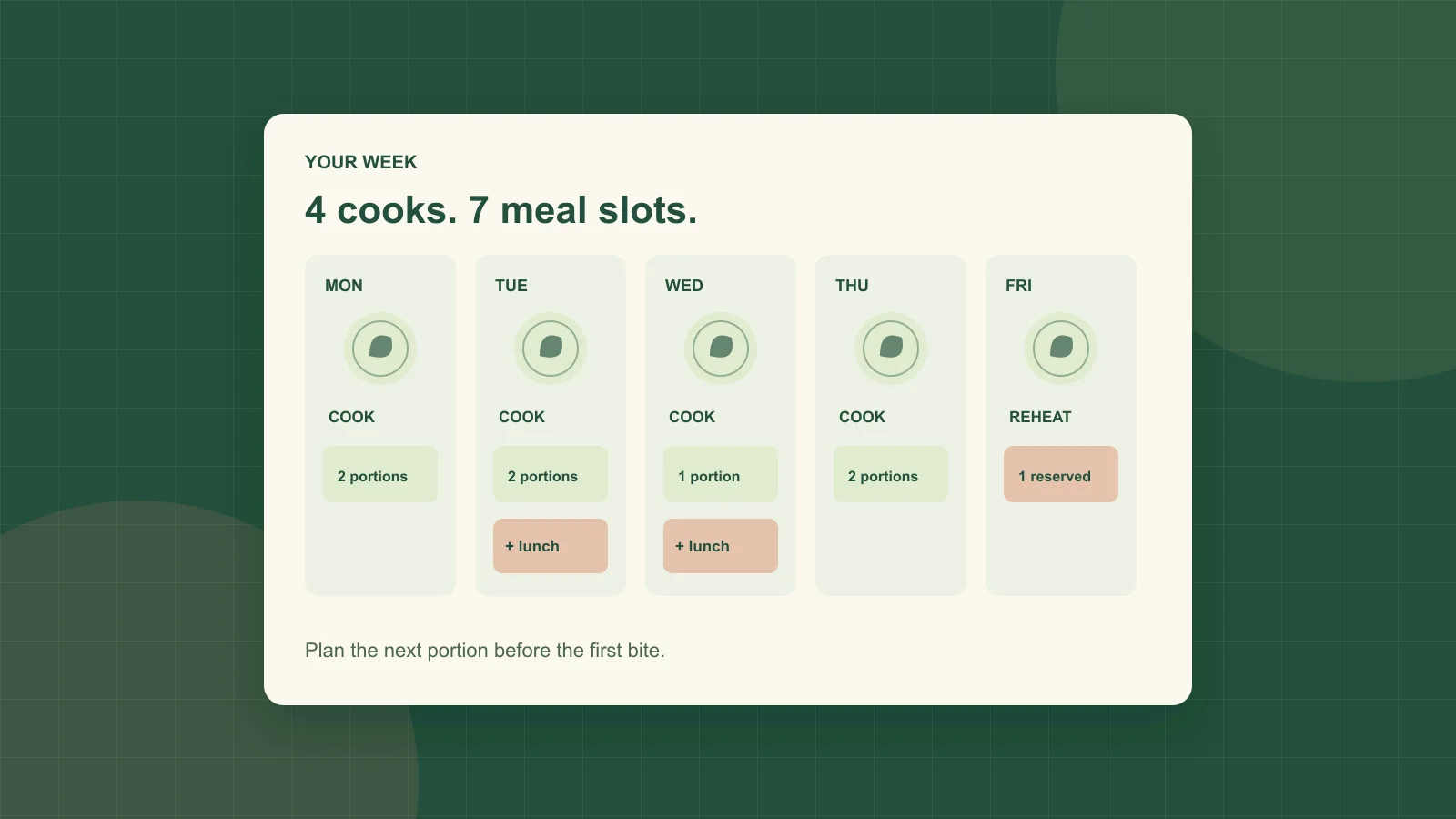
Meal planning
Meal Planning for One: A Weekday Plan and Free Worksheet
Plan five dinners and two lunches without cooking seven separate meals. Includes a portion ledger, ingredient overlap and a free printable worksheet.

Recipe organization
How to Save Recipes from Instagram, TikTok and YouTube
Turn social recipe videos into an organized, editable recipe library with ingredients, steps, source links and a clear path to your meal plan.