Cook smarter, waste less: the pantry, recipe and meal planner app
Kivella keeps your pantry, recipes, meal plan and shopping list in one place, so you can plan the week around what you have and buy only what's missing.


Free to download for iPhone, iPad and Android.
NewWorks with ChatGPT, Claude & moreBuilt for iPhone DuoAsk Siri

AI Suggestion
Creamy Pesto Pasta with expiring Broccoli
Pantry Alert
Chicken expiring today
Recipe ready in 15 mins!
Kitchen stress often starts
with not knowing what you have.
What to cook with this sad-looking broccoli?
Did I buy more oats... or was that last week?
Another night, another $25 takeout.
This recipe needs 14 ingredients I don't have.
My meal prep lasted exactly one Monday.
Chicken expiring today!
AI Suggestion
Cook Stir-fry? 🥘
Your pantry,
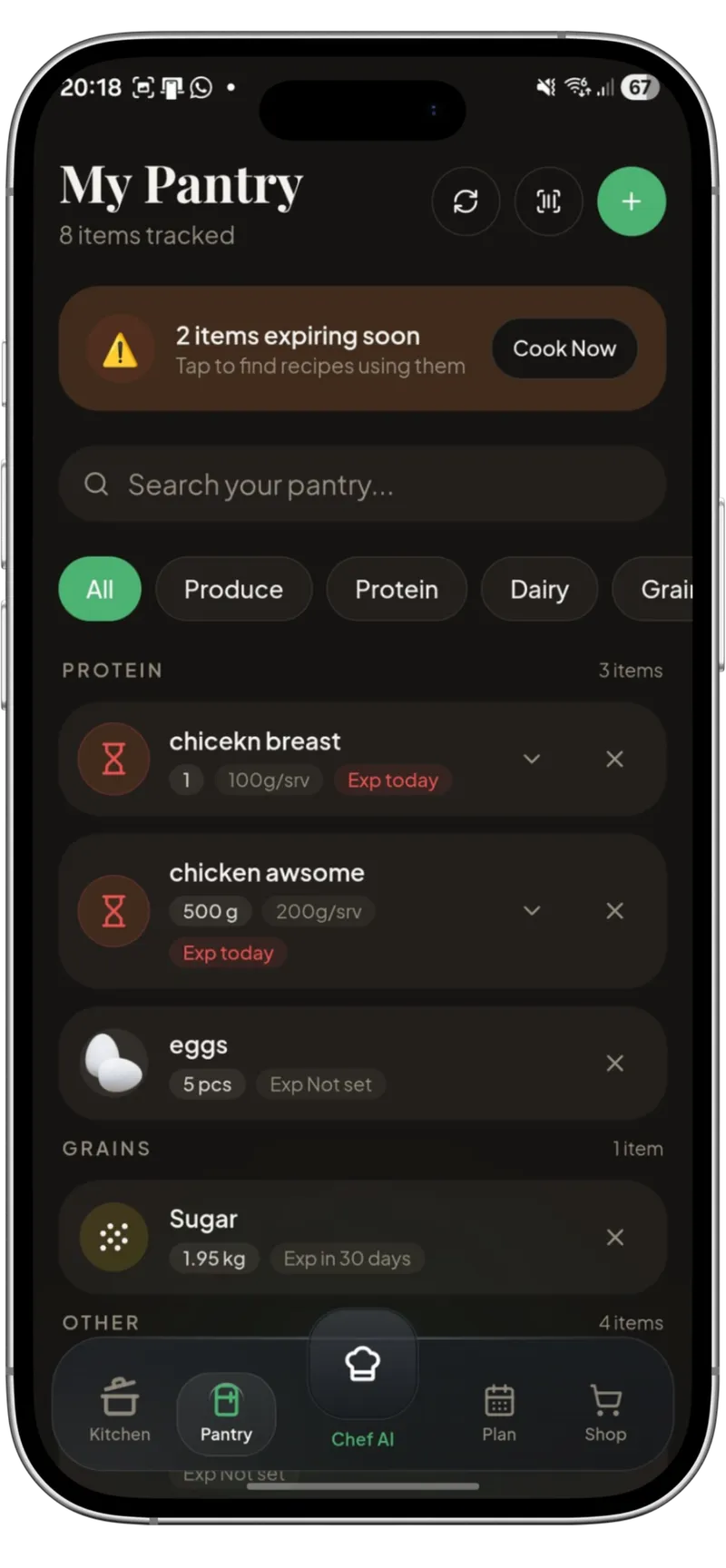
with expiry dates.
Add groceries by barcode, receipt or hand, see what needs using first, and let your recipes and shopping list check the same record. See how the pantry inventory app works.
Quick ways to add food
Scan a barcode or a grocery receipt, or type it in, and check it before it's saved
Expiry dates and reminders
See what's expiring soon and get a reminder when food is close to its date
Cook from what you have
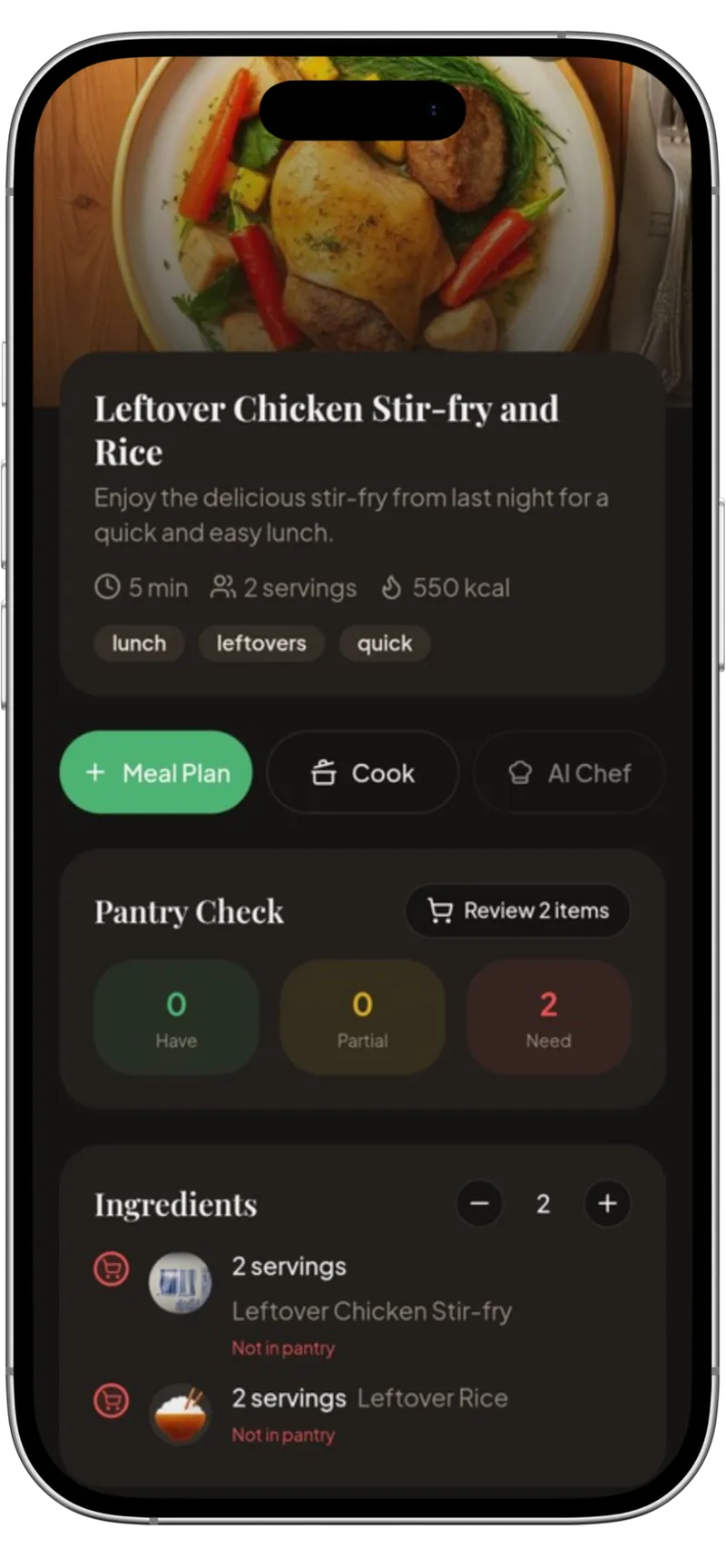
Recipes show what you have, have some of or need, and cooking one deducts what you used, with undo
Pantry, recipes, meal plans
and shopping, in one app.
Plan the week,
shop only for the gaps.
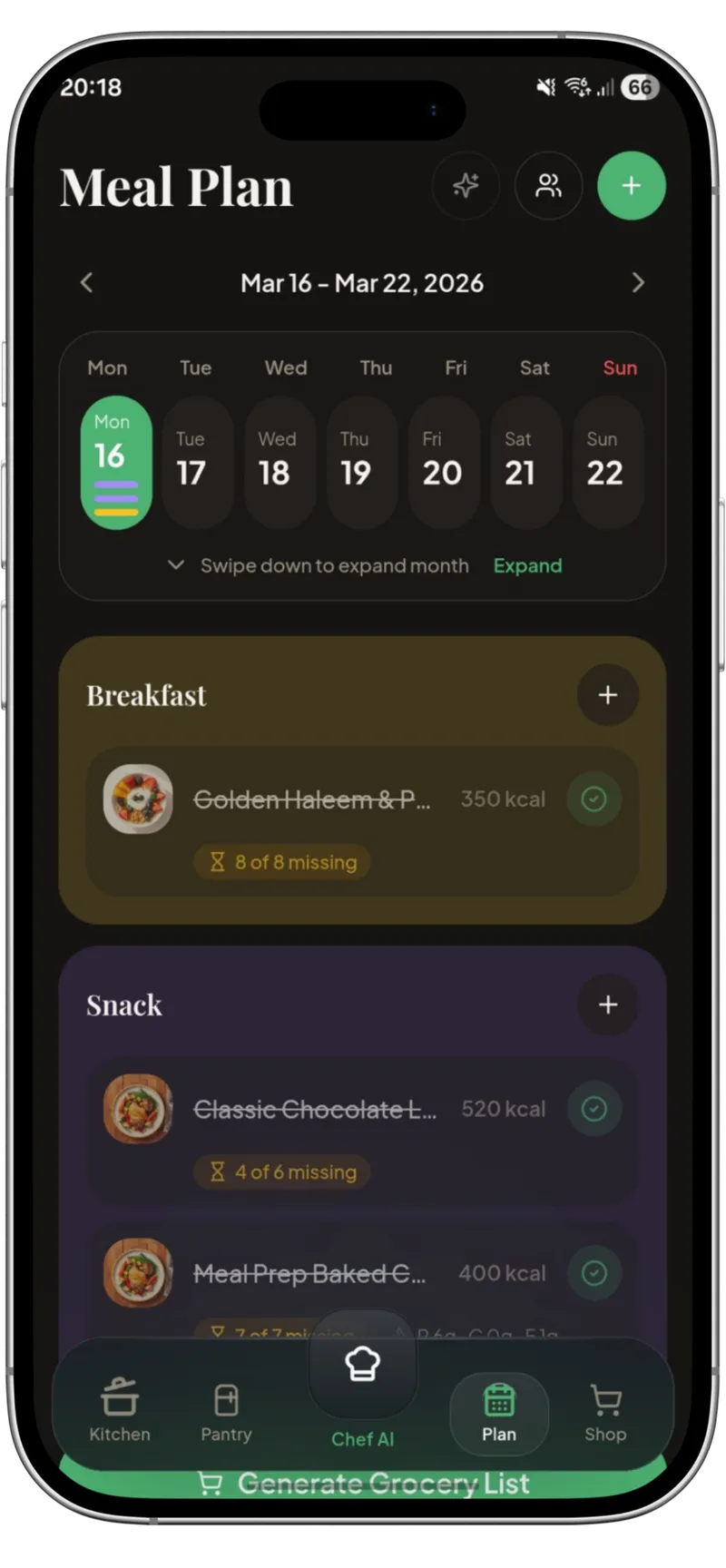
Kivella checks the whole week's meals against your pantry, so you review a shopping list of only what's missing. See the meal planner with grocery list.
Pantry checked
Across the whole week
Scan barcodes and receipts
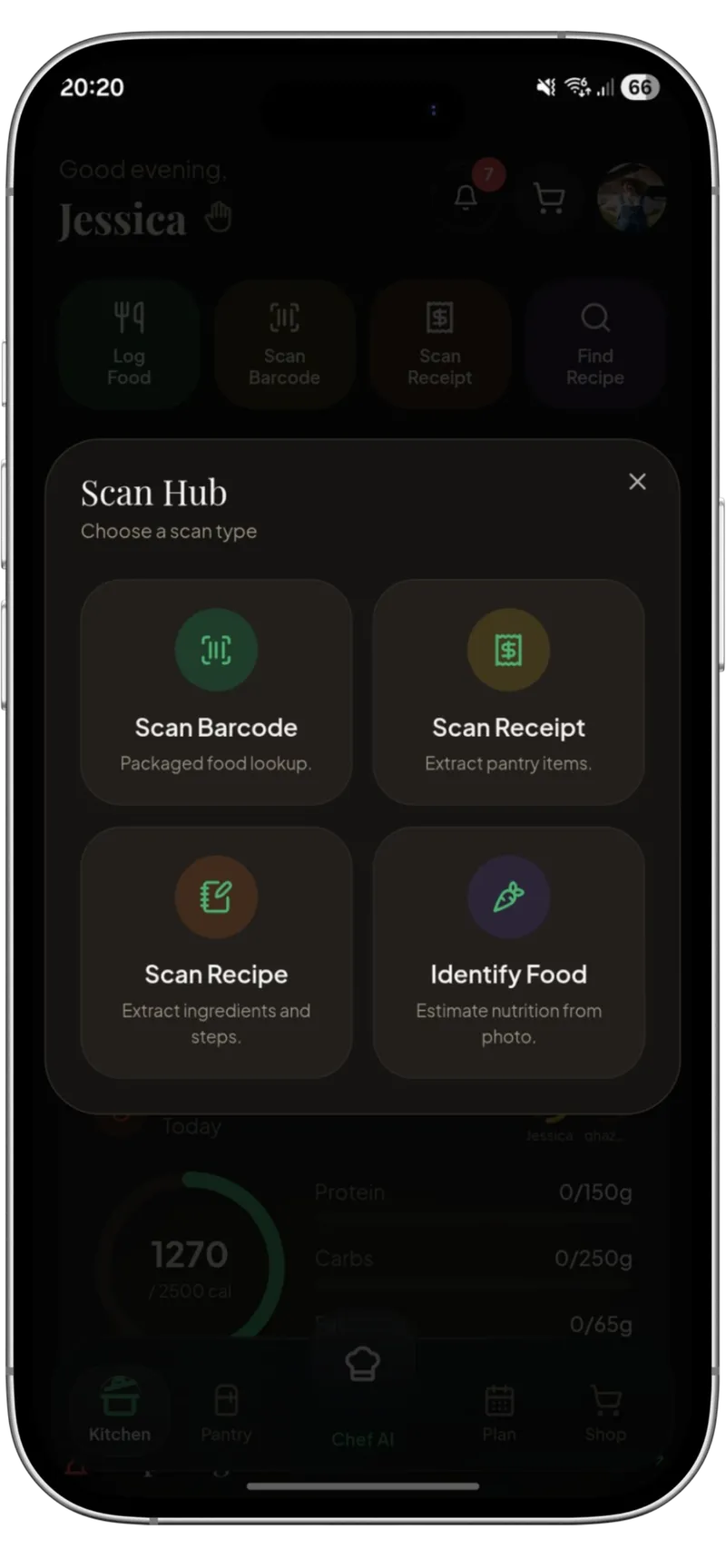
Start with a barcode or a receipt, or snap a meal for a nutrition estimate, then review the details before saving.
Expiry-aware
pantry
Quantities, categories and expiry dates, with reminders before food goes off.
Save and import recipes
Import from recipe sites, social posts that include the recipe or a printed page, then edit before saving. See the recipe organizer app.


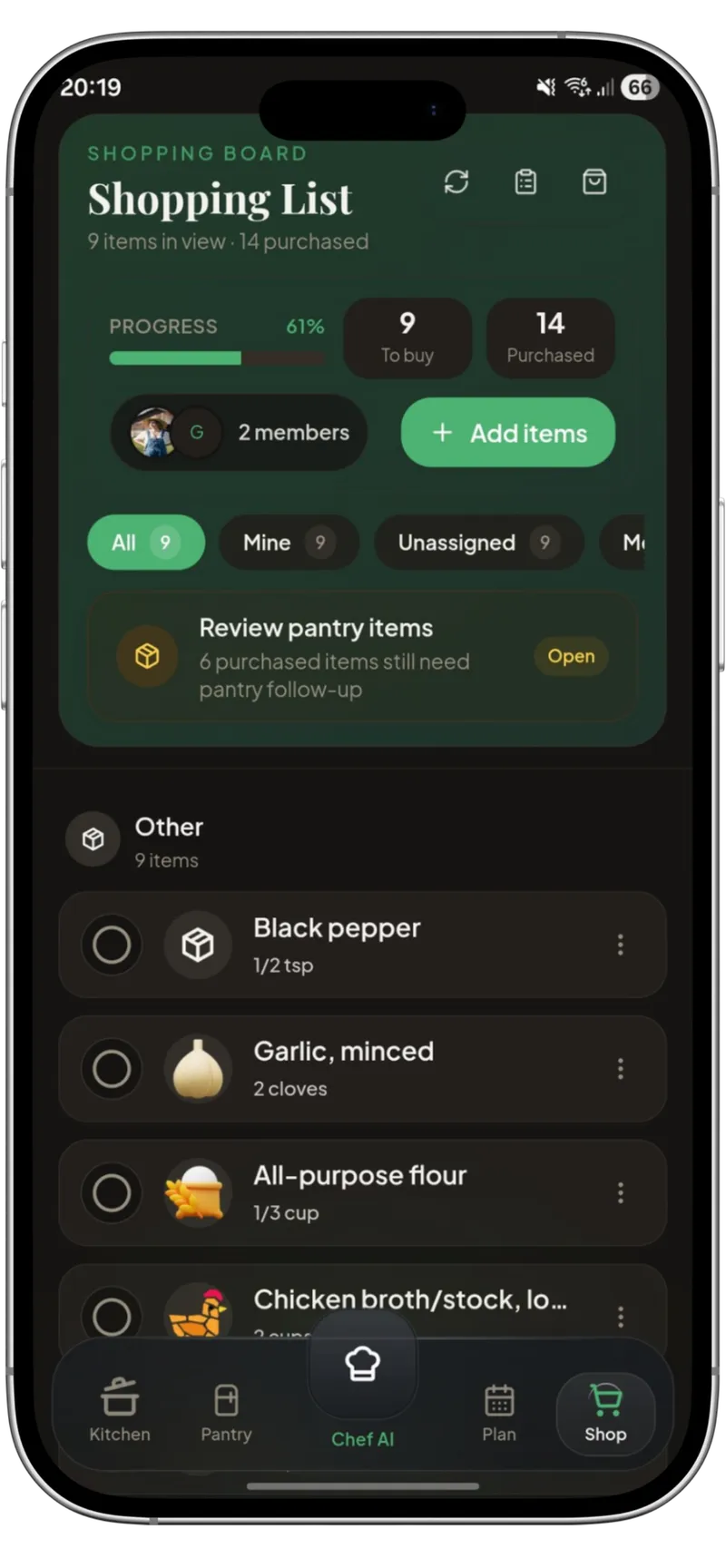
Shopping list
Built from your plan, minus what you already have. Share it with up to five people on Pro.
AI agents · New
Ask ChatGPT, Claude or your own AI what’s for dinner.
Connect Kivella to the AI you already use. It reads your pantry, recipes, meal plan and shopping list, and adds to them when you ask. In Claude and ChatGPT the answers come back as Kivella cards, and Gemini, Grok, Perplexity, Hermes, OpenClaw or any other AI that takes an MCP connector can connect too.
Connect your favourite AI
ProCopy your Kivella link from Profile → AI agents, add it to any of these, then sign in and choose what it may do. Connect as many as you like.

Connect Claude
Tested- 1Settings → Connectors → Add
- 2Add custom connector, paste the link
- 3Sign in to Kivella and approve

- Read: pantry and expiry dates, recipes, meal plan, shopping list, today’s calories.
- Add, if you allow it: shopping items, pantry items, a logged meal or a new recipe. It can’t edit or delete anything.
- Your call: switch adding off or disconnect an agent any time in the app.
Inside Kivella,
screen by screen.
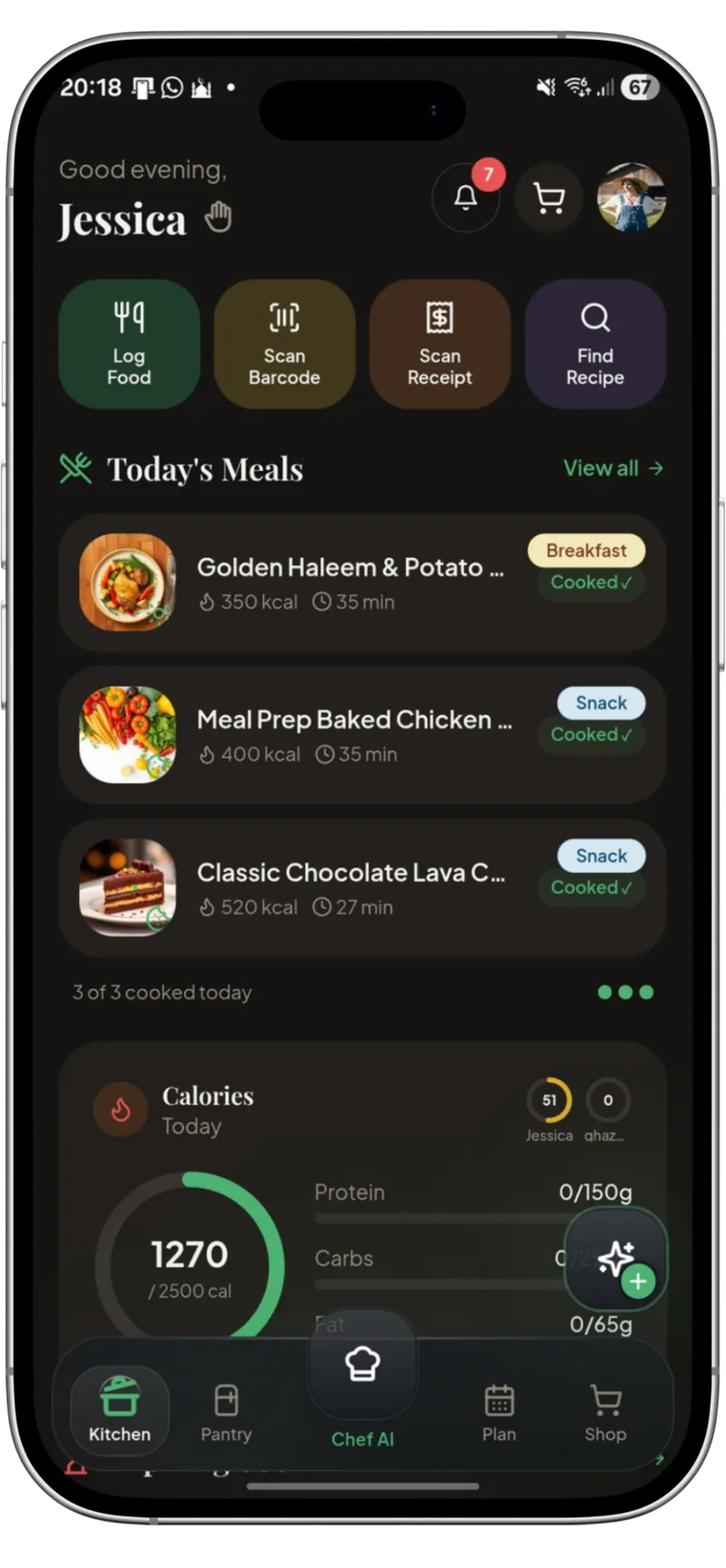
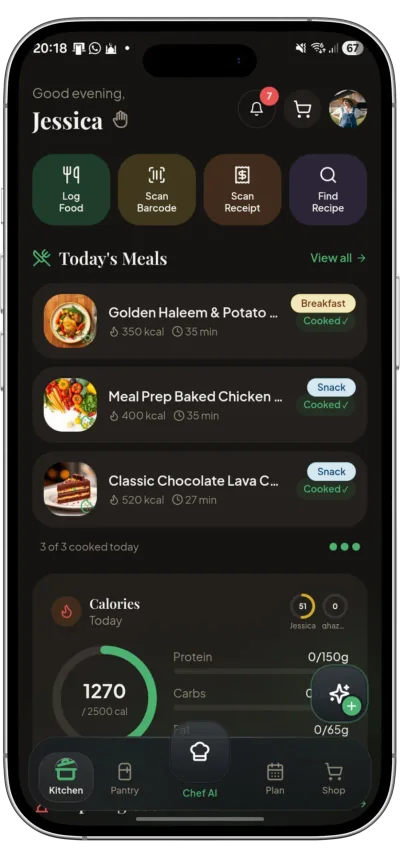
Kitchen home
Today's meals, calories and quick scans
Pantry
Quantities, categories and expiry dates
Meal planner
See what each meal is still missing
Shopping list
Only what the plan still needs
Scan Hub
Barcode, receipt, recipe or meal photo
Recipe
Pantry check and cooking steps
iPhone Duo · New
Built for iPhone Duo.
Open it and your kitchen spreads across two pages: the pantry beside its shelves, the week beside the day, the method beside the recipe. Close it and it’s the phone app you know, exactly where you left it.
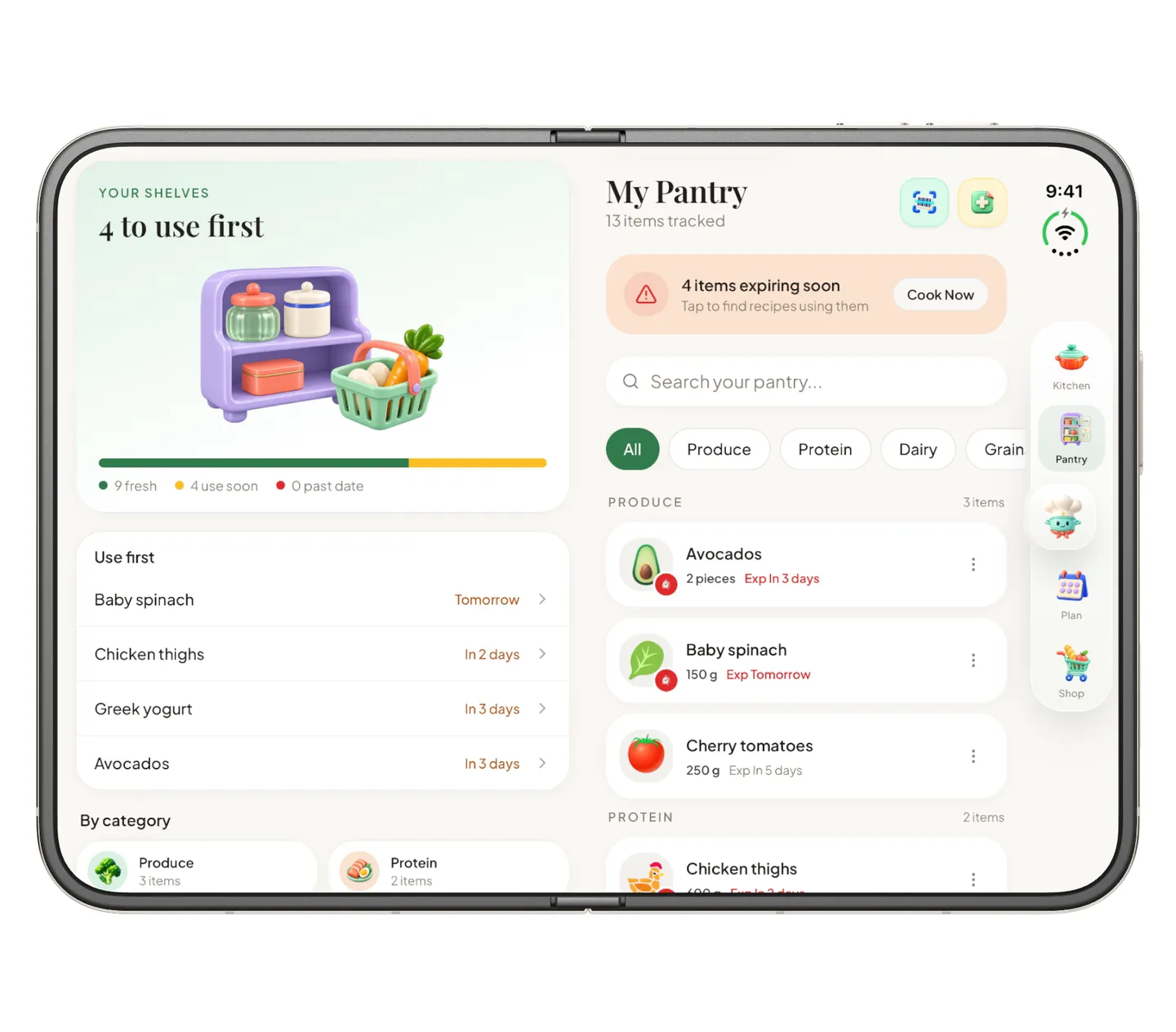
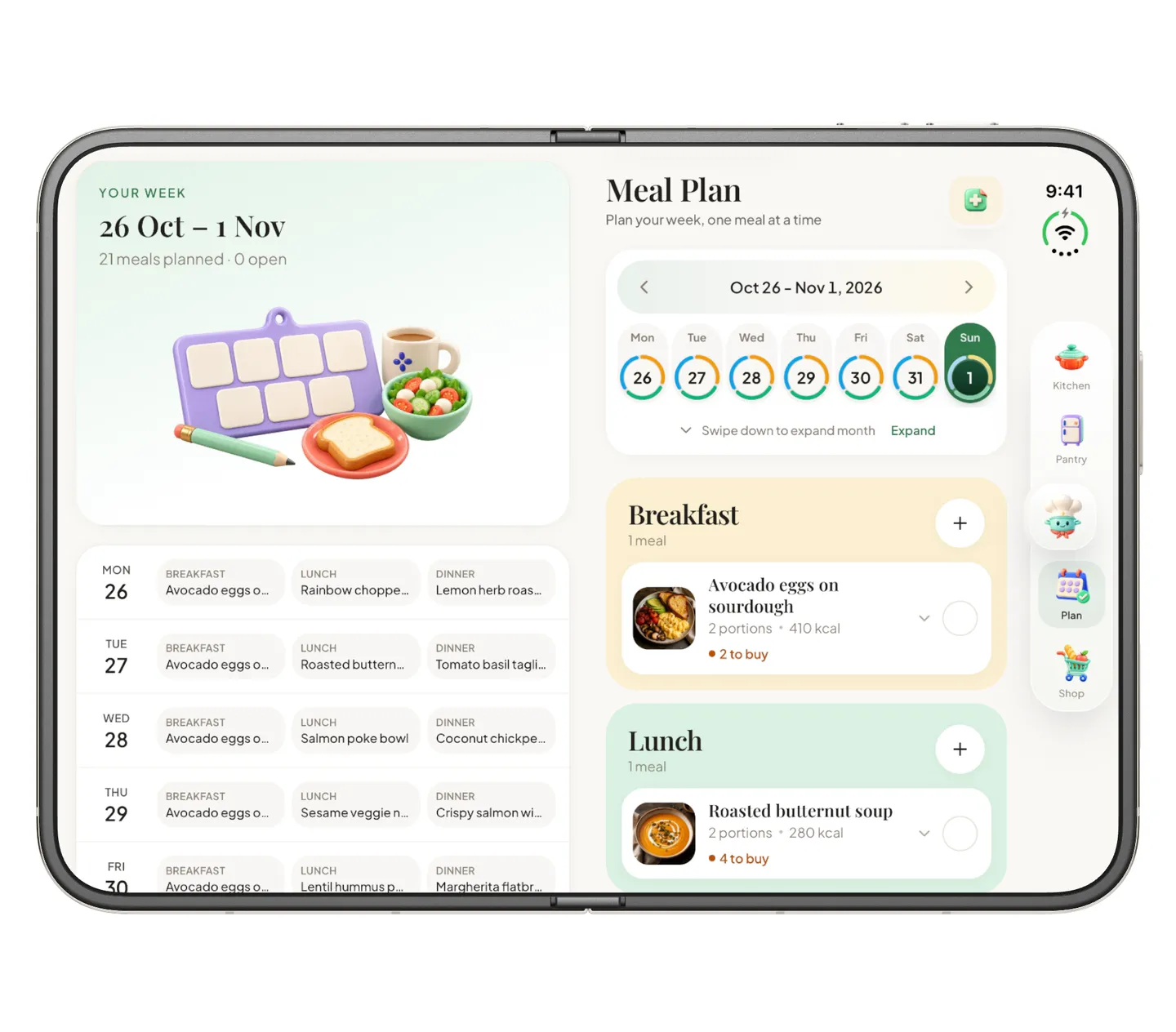
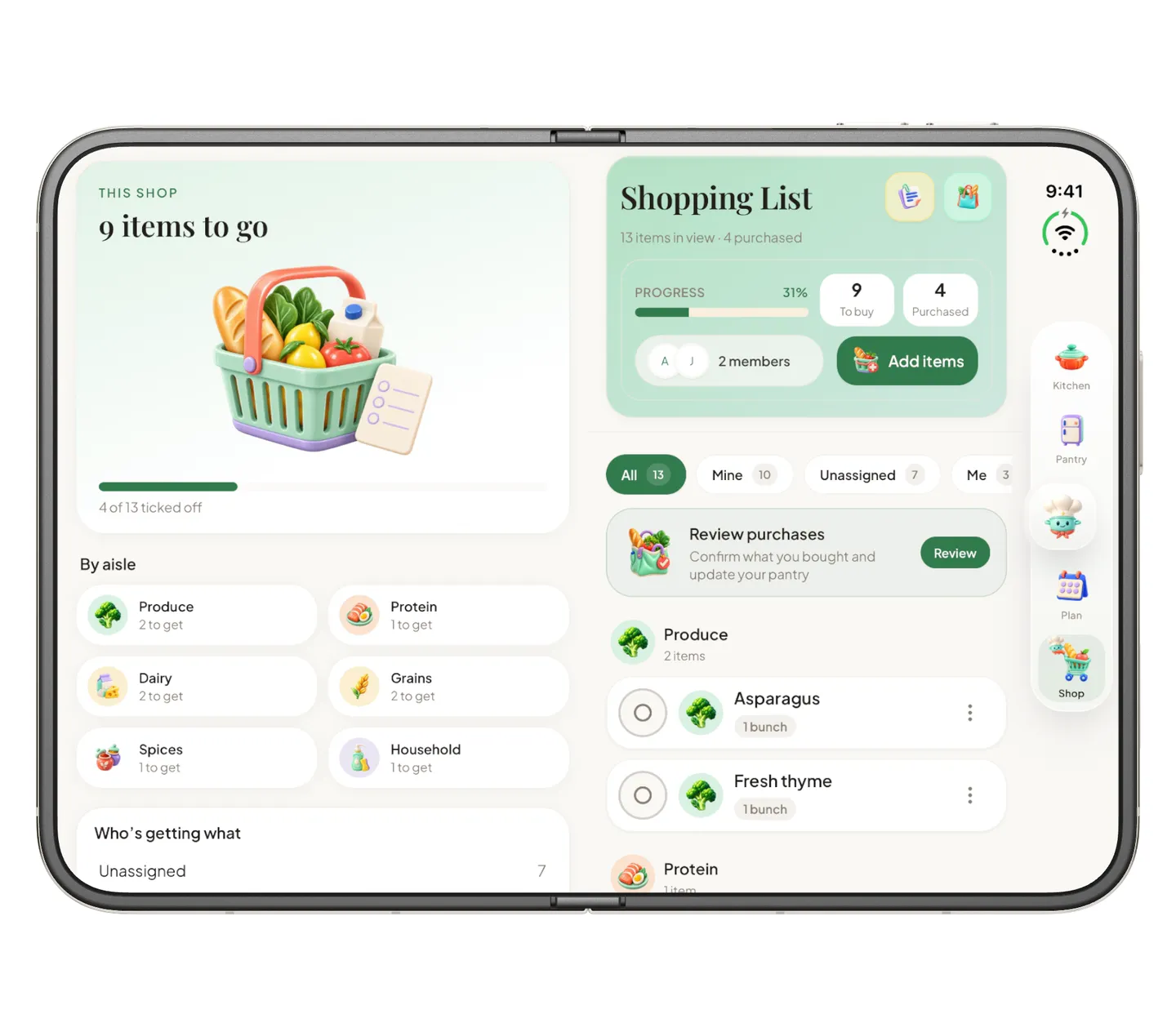
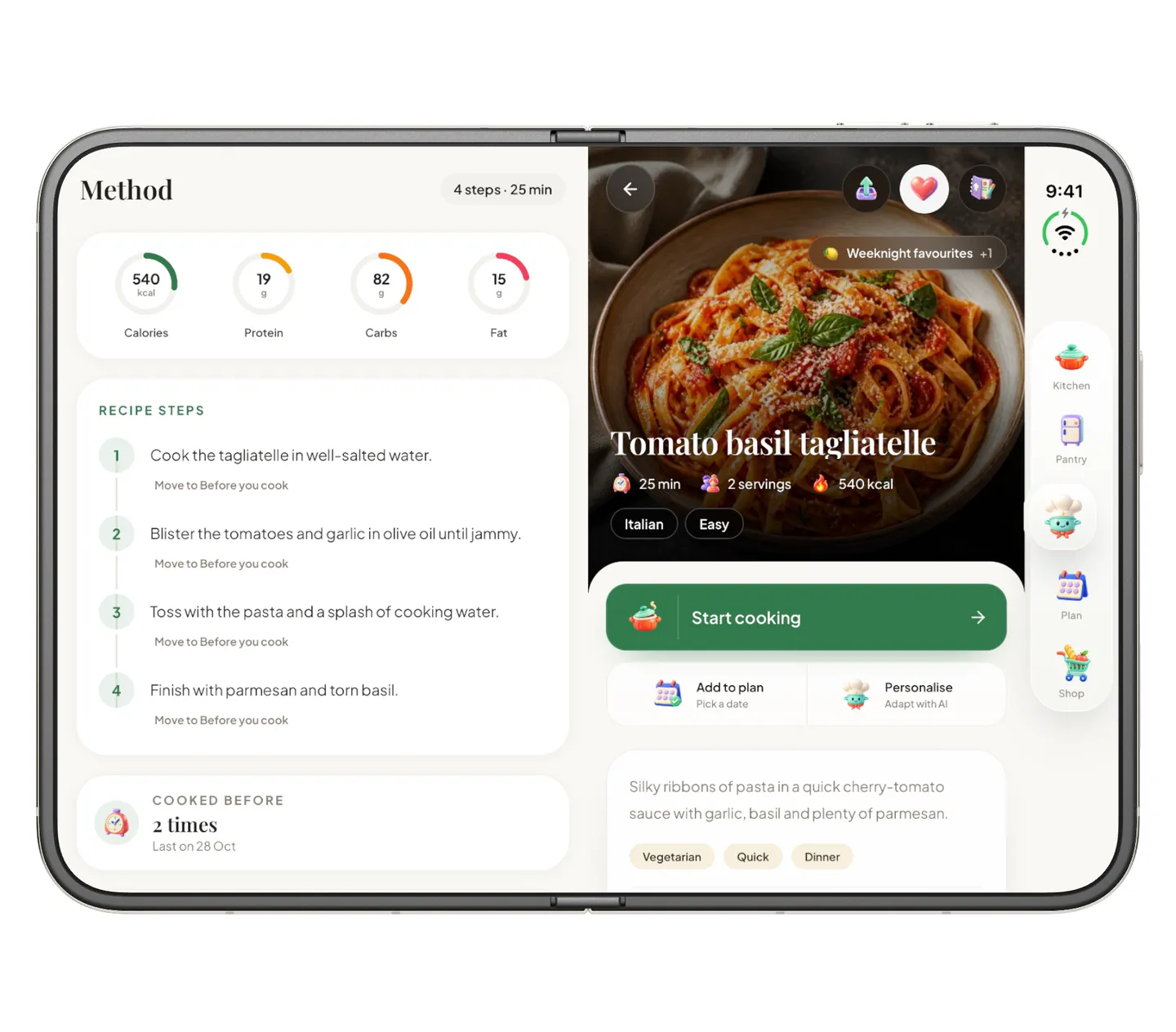
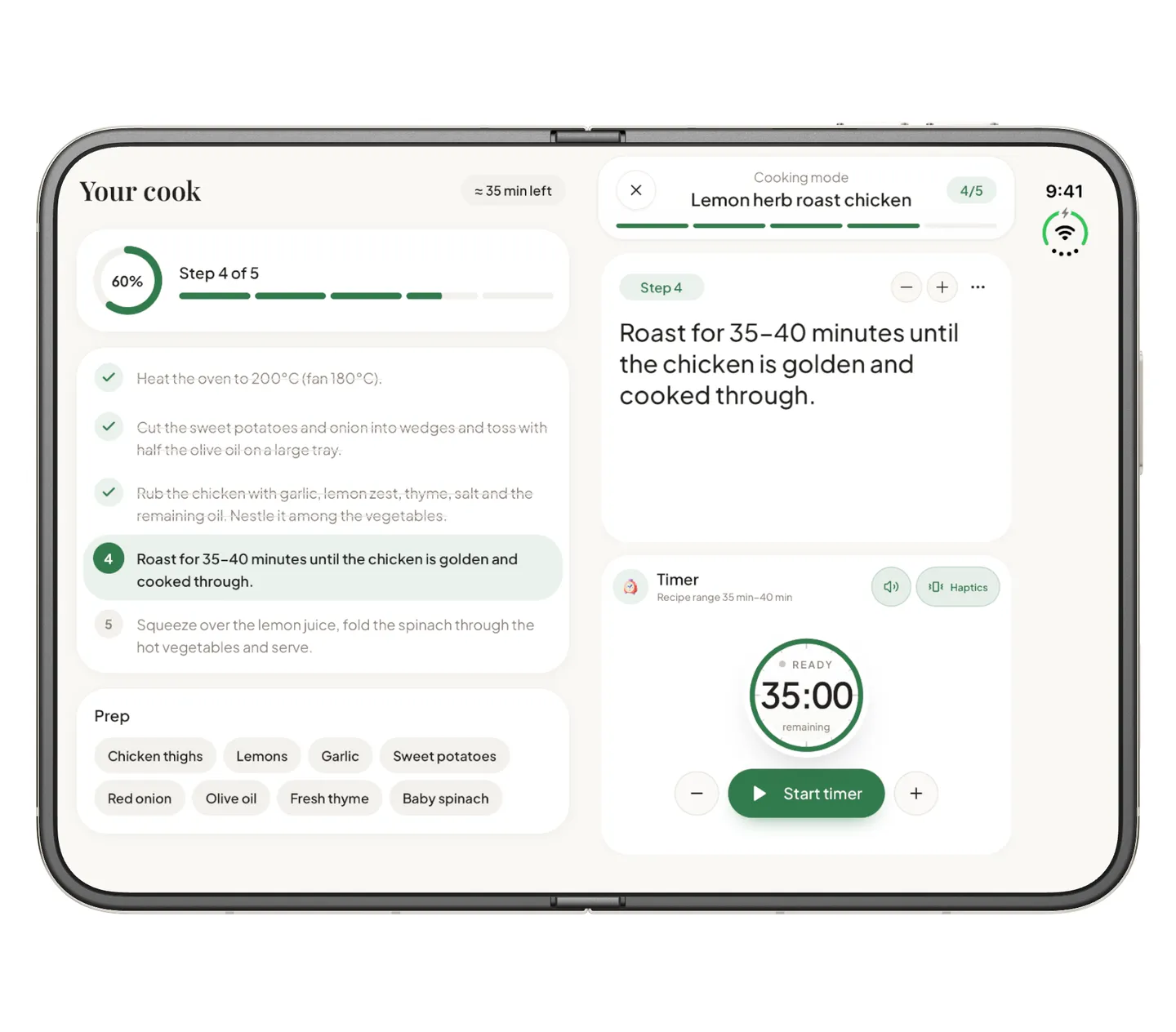
Nothing jumps
Close it and the cover screen shows exactly what the right page did. Open it and the left page fades in beside it.
Read left, act right
Things to glance at sit on the left. Checklists, buttons and timers sit on the right, by your thumb.
Sheets know their side
A scan, a recipe or the Chef opens on the page you tapped, so it never covers what you’re reading.
Siri & Shortcuts · New
Hands full? Just ask Siri.
Ask what’s expiring, what to cook tonight or what’s on the list, and Siri answers from your Kivella kitchen with a card. Add groceries or log a meal without opening the app. Free on every plan, on iOS 18 and later.
Just say it
- “Ask Kivella what’s expiring”
- “Ask Kivella what can I cook tonight”
- “What’s on my Kivella shopping list?”
- “Add to my Kivella shopping list”
- “Ask Kivella what’s on my meal plan today”
- “Ask Kivella how am I doing on calories today”
- “Log food in Kivella”
- “Scan groceries with Kivella”
Recipes in Spotlight
Search your iPhone for a dish or an ingredient and your Kivella recipe is there. Shortcuts gets every action too.
Answers offline. Siri reads your last synced kitchen, so it works in the supermarket basement too.
On Android, Kivella adds app shortcuts for the same quick actions.
Nutrition
and sharing.
Log meals against your own calorie and macro targets, save dietary preferences and allergies, and share the pantry, plan and list on Kivella Pro.
Scan a barcode
Look up packaged food with nutrition and Nutri-Score details
Import recipes
From recipe websites, and Instagram, TikTok or YouTube posts that include the recipe
Snap a meal
Get an editable calorie and nutrient estimate
Household sharing
Share pantry, plan and list with up to five people on Pro
Calorie tracking
Daily and weekly calories and macros against your own targets
Dietary profiles
Save diets like keto or vegan, plus allergies, to guide planning
Explore Kivella
One kitchen loop, explained feature by feature.
See what the pantry, recipe, meal planning and nutrition features do, and where you review before anything is saved. Prefer paper? Start with the free weekly meal planner template, the pantry staples checklist or the recipe scaler.
Pantry inventory app
The pantry app that knows what you have before you shop.
Kivella is a pantry inventory app for iPhone and Android: keep cupboard, fridge and freezer food in one list, scan barcodes or receipts and act on expiry dates.
Recipe organizer app
The recipe organizer that turns saved recipes into dinners.
Kivella is a recipe organizer app for iPhone and Android. Save, tag and search recipes, and import reviewable drafts from recipe websites and social posts.
Meal planner and grocery list app
Plan meals and buy only what the plan still needs.
Kivella is a meal planner and grocery list app: plan the week, then review a list of only what your pantry doesn't cover. Pro shares it with up to five people.
Photo nutrition logging
Photograph a meal, review the estimate, then decide what to log.
Kivella combines food-photo understanding with an editable calorie and macro log. Portions and nutrition remain estimates until the user reviews and saves them.
Siri and Shortcuts
Ask Siri what's expiring. Kivella answers.
Kivella works with Siri, Shortcuts and Spotlight on iPhone. Ask what's expiring, what to cook tonight or what's on your shopping list, and add groceries or log a meal hands-free.
Built for iPhone Duo
Open your iPhone Duo. Your kitchen opens with it.
Kivella is built for iPhone Duo. Open it and your pantry, meal plan, shopping list and recipes spread across two pages; close it and you're right where you were.