How Accurate Are AI Food Photo Calorie Trackers?
AI food photos can speed up nutrition logging, but portion size, hidden ingredients and food matching mean every calorie result remains an editable estimate.
An AI food photo calorie tracker can identify visible foods and suggest calories or macros, but it cannot directly measure the weight of a serving or see every ingredient. A useful result is an editable estimate with clear assumptions, not a laboratory measurement or medical diagnosis.
What a single food photo can estimate
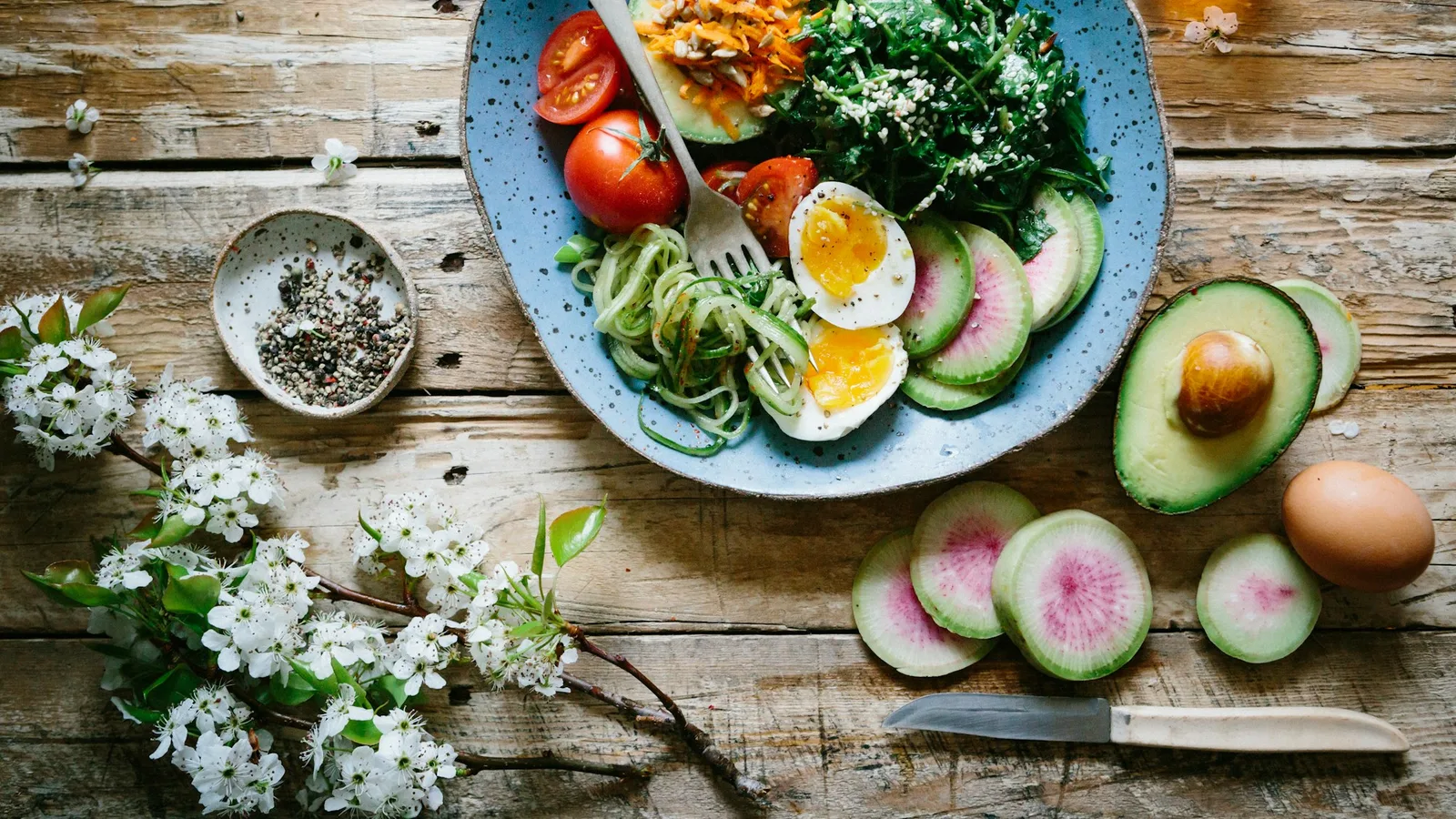
A photo can provide visual clues about food type, relative area, colour, texture and the arrangement of a meal. A nutrition system can use those clues to suggest likely foods, estimate a portion and match the result to a nutrient database. The final calorie value depends on every step in that chain.
The USDA FoodData Central database illustrates the matching problem: nutrition values belong to specific foods and portions. Choosing grilled skinless chicken rather than fried breaded chicken changes the reference record before portion uncertainty is even considered.
Why photo calorie estimates vary
- Portion depth: a top-down image shows width more clearly than height, especially in bowls and layered dishes.
- Hidden ingredients: oil, butter, dressing, sugar, fillings and cooking liquid may not be visible.
- Food ambiguity: visually similar dishes can use different ingredients or preparation methods.
- Reference matching: the same food may have several database entries with different serving descriptions.
- Mixed dishes: curries, casseroles and smoothies hide the ratio of their components.
A 2020 systematic review and meta-analysis of image-based dietary assessment included 13 studies with 606 participants. It found significant under-reporting of energy intake overall and substantial variation between studies. Those studies evaluated several image-assisted methods, not Kivella or every current AI app. The review does not establish one accuracy percentage for products available today.
How to take a more useful food photo
- Use even light and keep the full plate or bowl in frame.
- Photograph from a consistent angle and include a familiar size reference when practical.
- Separate components visually instead of covering everything with sauce.
- Add a short note for invisible details such as two teaspoons of oil, full-fat yoghurt or a filled centre.
- Photograph before eating so the original portion is visible.
A 2024 scoping review of AI dietary assessment from food images included 84 articles published between 2008 and 2021. It describes methods and remaining problems, including the need for dietitian and nutritionist involvement. Its publication date does not mean the underlying systems were tested in 2024.
Review the estimate before logging
Check the recognized foods first. Then confirm preparation method, serving size and any toppings or cooking fats. If the system shows its assumptions, correct the inputs rather than editing only the final calorie number. That preserves a more useful record for future meals.
Consistency can still be valuable. If you use the same capture method and review process, a photo log may help you notice patterns even when an individual entry is not exact. Kivella's photo nutrition workflow labels each result as an estimate and lets you correct the portion before logging. This article does not report a validation study of Kivella.
A worked portion correction
Imagine an app matches a food to a database record containing 150 kcal per 100 g, then assumes your serving weighs 200 g. Its estimate for that component is 300 kcal. If a kitchen scale shows 300 g of the same food, the corresponding value is 450 kcal. The 150 kcal difference comes from the portion assumption alone. These numbers are deliberately illustrative, not nutrient values for a named food or results from testing an app.
The calculation is reference energy × serving grams ÷ 100. It only works when the reference and serving describe the same food in the same state. Dry rice, cooked rice and rice cooked with added oil are different records. Do not correct a cooked portion using the dry-food label.
For a mixed dish you made yourself, total the calories from all measured ingredients, including cooking fats. Multiply that total by your portion's cooked weight divided by the full dish's cooked weight; for equal portions, divide the total by the number of portions. Use matching units and keep any uncertainty visible. For restaurant food, keep unknowns visible. Changing a number to look precise does not resolve ingredients you never measured.
How to evaluate a tracker with your own meals
Try a few weighed meals and compare each photo draft with the label or recipe calculation before editing it. Record the food match, assumed portion and any omitted ingredients. Include one simple plate and one mixed dish. That reveals which corrections you keep having to make; it does not produce a scientific accuracy rating from a handful of meals.
A credible published accuracy claim should identify the tested app version, number and types of meals, reference measurement and error metric. Food recognition accuracy is not the same as calorie accuracy. An app can name a dish correctly and still get its portion wrong.
When not to rely on a photo estimate
Do not use a photo-only estimate as the deciding measurement for allergy safety, medication management, eating-disorder care or another clinical decision. Follow the method recommended by a qualified clinician or accredited practising dietitian. Packaged-food labels, weighed ingredients and documented recipes provide information a photo may not contain.
If you are building a meal plan around nutrition targets, plan with realistic portions and then log what you actually ate. The high-protein meal-planning guide explains how to keep food-group balance and individual needs in view.
Questions about AI calorie estimates
Can a food photo show oil used in cooking?
Not reliably. Surface shine may offer a clue, but the image cannot measure oil added to a pan, absorbed during frying or mixed into a dressing. Add that information manually when you know it.
Does adding a second photo help?
Another angle can reveal depth or hidden components, but it does not turn an estimate into a direct measurement. A side view and a known reference object may improve the available evidence.
Is a photo tracker accurate enough for everyday logging?
It can be a convenient starting point if you review the result and accept that individual entries contain error. The right method depends on why you are logging and how much precision the decision requires.
Share this insight
Kivella Editorial Team
Kivella's editorial team documents practical pantry, recipe, meal-planning and nutrition workflows. Material claims are checked against primary research or official guidance, and product claims are kept within Kivella's current documented capabilities.
Read our editorial policyShare Article
On this page
Tags
Continue the workflow
Related Kivella guides
Meal planning
High-Protein Meal Plan: Five Practical Workweek Dinners
Plan five protein-centred dinners with example portions, a label-based protein calculation and a prep routine that keeps vegetables and variety in the week.
Meal planning
Pantry-Aware Meal Planning: From Weekly Plan to Grocery List
Plan realistic meals around what you already own, combine recipe quantities and create one shared grocery list with only the items that are missing.
Food waste
AI Meal Planning and Food Waste: What Actually Helps
AI can reduce planning friction, but the useful system is a reviewable loop connecting pantry records, recipes, realistic meal plans and shopping lists.