How to Organize Recipes So You Can Find Them Again
Turn a crowded recipe collection into a useful dinner library with a retrieval check, simple labels, duplicate rules and a free recipe-index template.
Organize digital recipes around the decisions you make before cooking: what ingredients you have, how much time is available and whether you have cooked the recipe before. A useful collection lets you retrieve a suitable dish without opening every saved link.
You do not need to reorganize your entire archive first. Start with the recipes you expect to cook in the next few weeks, give them consistent names and a small set of labels, and leave the remaining archive available until you need it. This guide includes an editable index for doing that in a spreadsheet or adapting the same fields to a recipe app.
Run a retrieval check on your current collection
Try three searches you would make on an ordinary evening: a dinner using a particular ingredient, a meal that fits the time you have, and a dish you cooked successfully before. Note what blocks each search.
| What happens | Likely missing information | Useful change |
|---|---|---|
| You remember the dish but cannot find its title | A recognisable name | Include the main ingredient and dish type |
| You find many possibilities but cannot choose | Time, equipment or cooking status | Add the constraint that matters tonight |
| You open a bookmark and cannot cook from it | Quantities, method or source access | Mark it as needing review |
| You find several copies and different notes | A clear original and version history | Compare before consolidating |
A large folder tree will not repair missing quantities. A better search feature will not know which version your household liked unless you recorded that fact. Fix the missing information before adding structure.
Build a small working collection
Create one inbox for new saves and one working collection for recipes you can cook from. Move a manageable first batch into the working collection: for example, ten familiar dinners and a few new dishes you genuinely intend to try. That number is a starting suggestion, not an optimal library size.
For each recipe, check the title, ingredients, quantities, method and yield. Preserve the creator's name and source link. If the original is a video, link to it even when you also save written notes. Our social recipe saving guide covers the capture and extraction checks; this article covers what happens once the recipe is in your library.
A cookbook reference can use book title, author and page number. A family recipe can include who provided it and any preparation details that would otherwise stay in someone's memory. Personal provenance is useful even when there is no public URL.
Separate status, constraints and subject labels
A recipe's status answers whether you trust it enough to plan. Constraints answer whether it fits tonight. Subject labels describe the dish. Keeping those roles clear prevents “quick”, “favourite” and “chicken” from becoming an undifferentiated pile of tags.
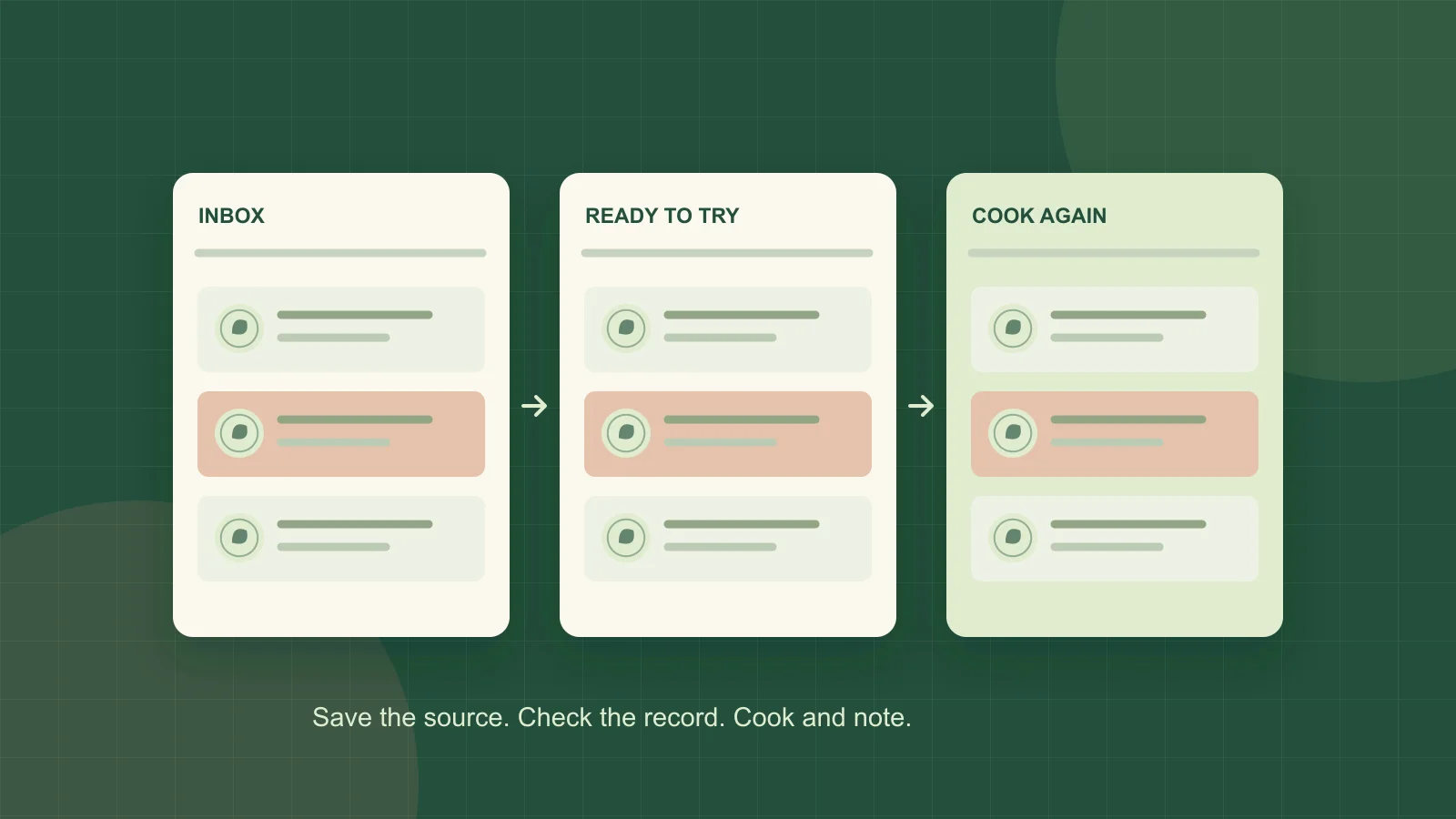
- Status: needs review, ready to try, cook again, or archive.
- Cooking constraints: total time, active time, essential equipment and planned yield.
- Subjects: a few useful categories such as soup, pasta or a main ingredient.
“Ready to try” means the record has enough information to cook from, not that you have tested the recipe. Move it to “cook again” only after your own cooking experience. A recipe that looks attractive can stay ready to try until you choose a date for it.
Keep time labels honest. A dish with ten minutes of work and two hours of baking does not belong in a “dinner within thirty minutes” group. Write active and total time separately if that distinction matters to your routine.
If your app supports collections, a recipe may be able to belong to more than one. AnyList's collection documentation, for example, explicitly supports assigning a recipe to several collections. In a spreadsheet, separate columns can provide the same organizational distinction. Check your chosen tool rather than assuming every app uses tags and folders identically.
Use names and notes that survive a busy evening
Use a title you can recognise without its thumbnail. “Lemon chickpea pasta” carries more retrieval information than “Amazing dinner!!!”. Keep the creator and source in their own fields so you can return to the original.
Write modifications as concrete notes. “Good” records a reaction but does not help reproduce the meal. “Used the 28 cm pan; two generous portions; add spinach near the end” records decisions you can use again. Only write observations you actually made; leave untested changes marked as ideas.
| Field | Illustrative entry |
|---|---|
| Recipe name | Lemon chickpea pasta |
| Source | Creator name and original URL |
| Status | Ready to try |
| Main ingredient / dish | Chickpeas / pasta |
| Time and yield | Copy from the reviewed source |
| Personal notes | Leave blank until cooked; label proposed changes as untested |
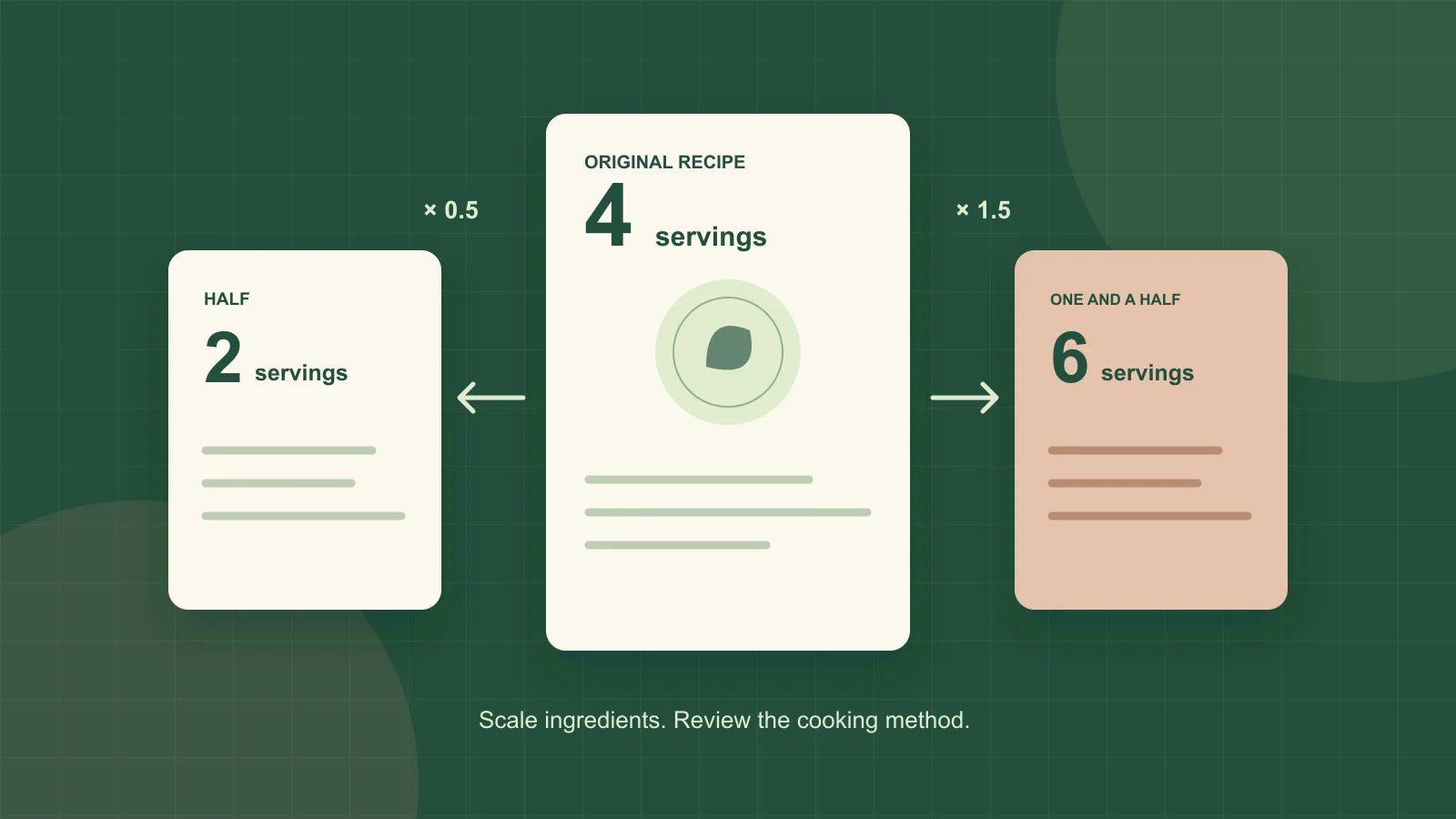
Keep the original yield visible when adding your preferred yield. A note saying “make half” is harder to interpret after other edits than “original: four servings; my usual batch: two”. Use the serving conversion worksheet for the quantity calculation.
Resolve duplicates without losing useful differences
Two entries with the same title are not necessarily duplicates. Compare the source, ingredient proportions, method and your notes before deciding which one to keep.
- Same source and same instructions: retain the most complete record, transfer useful personal notes and archive the spare.
- Same dish from different creators: preserve the source distinction. Choose one for the working collection if that reduces decision clutter.
- Your adaptation of a source recipe: identify it as an adaptation and record what changed.
- Broken source with incomplete instructions: move it to needs review instead of guessing the missing method.
Before a large cleanup, keep an export or backup if your tool offers one, and check that you can open it. If export is unavailable, preserve especially important family recipes in a readable format you can access independently. Do not assume a synchronised account is an independent backup.
Make the collection feed this week's meals
Before planning, open the cook-again collection and select meals that fit your schedule and usable ingredients. Add a ready-to-try recipe only when you have room for an unfamiliar method. The labels earn their keep when they make this choice easier.
After cooking, update the record while you still remember the changes. At the next planning session, review the inbox and any recipe you repeatedly skipped. Archive an irrelevant save, fix a missing detail, or leave it for a genuine occasion rather than forcing every saved recipe into a weekly plan.
Download the free digital recipe-index CSV for the fields used in this guide. It contains an illustrative record and blank rows, with separate columns for source, status, times, yield, equipment and notes. Replace the example with your own recipe; the file does not import or extract recipes automatically.
Once you can reliably retrieve a dinner, connect it to a meal plan and grocery list. That is a more useful success check than how many recipes you have sorted.
Share this insight
Kivella Editorial Team
Kivella's editorial team documents practical pantry, recipe, meal-planning and nutrition workflows. Material claims are checked against primary research or official guidance, and product claims are kept within Kivella's current documented capabilities.
Read our editorial policyShare Article
On this page
Tags
Continue the workflow
Related Kivella guides
Recipe organization
How to Save Recipes from Instagram, TikTok and YouTube
Turn social recipe videos into an organized, editable recipe library with ingredients, steps, source links and a clear path to your meal plan.
Recipe organization
How to Scale a Recipe and Buy the Right Quantities
Convert recipe servings with a simple formula, check units and cooking limits, then subtract pantry stock. Includes examples and a free scaling worksheet.
Meal planning
Pantry-Aware Meal Planning: From Weekly Plan to Grocery List
Plan realistic meals around what you already own, combine recipe quantities and create one shared grocery list with only the items that are missing.