One list for the whole kitchen
Record the quantity, category and expiry date of fresh, frozen and cupboard food without splitting your kitchen across separate lists.
Pantry inventory app
Kivella is a pantry inventory app for iPhone and Android: keep cupboard, fridge and freezer food in one list, scan barcodes or receipts and act on expiry dates.
Available for iOS and Android. Download Kivella to get started.
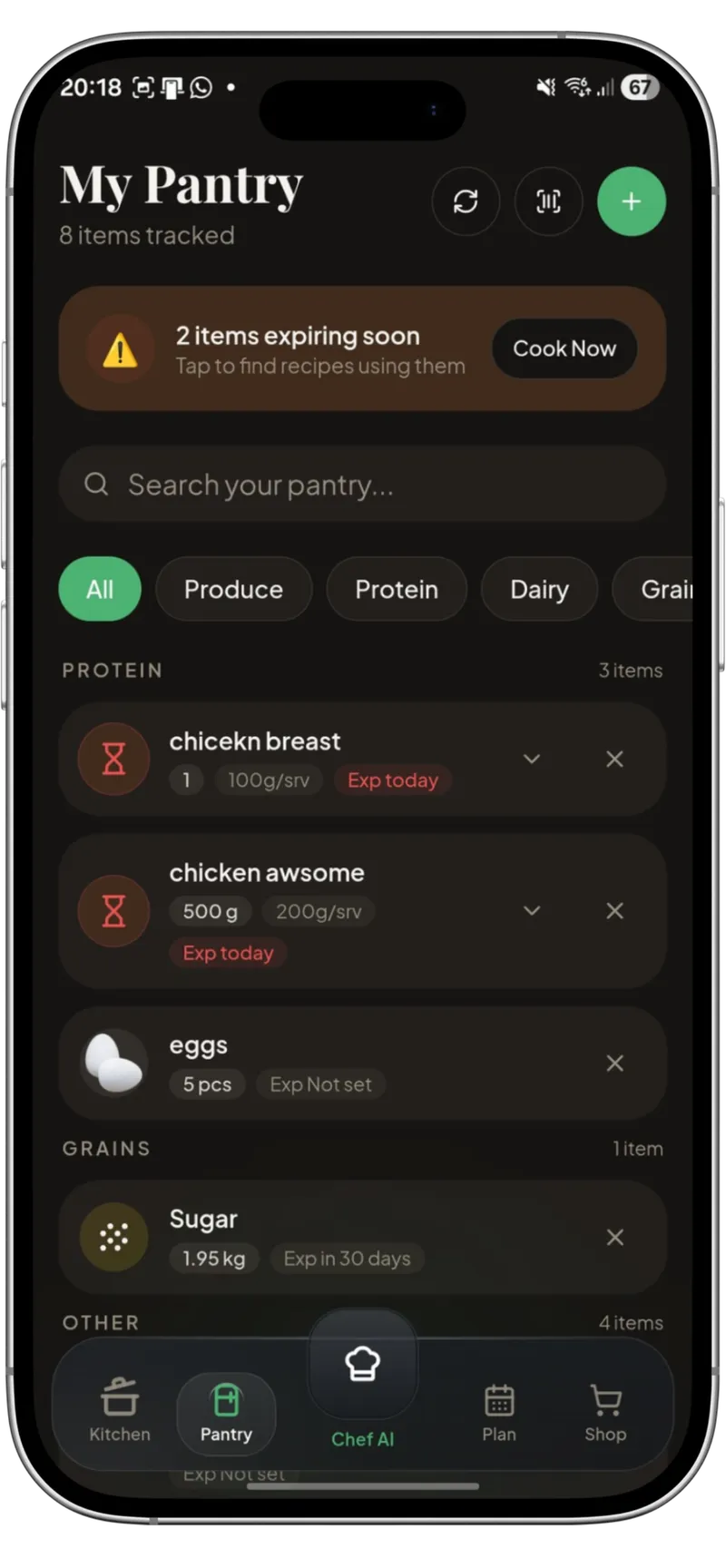
“One household record for what you have, how much is left and what needs attention next.”
What it connects
Record the quantity, category and expiry date of fresh, frozen and cupboard food without splitting your kitchen across separate lists.
Add items by hand, scan a product barcode or scan a grocery receipt, then review the result before it is saved.
See which ingredients should be used first and move from an alert to a relevant cooking decision.
Recipes show which ingredients you already have, and cooking one can deduct what you used, with undo. On Kivella Pro, up to five people can share the same pantry.
How it works
Add a grocery item by hand, or scan a barcode or receipt to prepare an editable draft.
Review the food name, quantity, category and suggested expiry date before it becomes part of your pantry.
Use pantry context when choosing recipes and avoid treating the shopping list as a disconnected checklist.
Questions
Yes, in one list. Cupboard, fridge and frozen food sit together, and each item has a category (including Frozen), a quantity and an expiry date that you can filter or search by.
Yes. You can scan a product barcode or a grocery receipt, and Kivella prepares the items for you to review before they are saved. Barcode results depend on the product database, and scans count towards your plan's allowance.
Yes. Kivella suggests an expiry date you can edit, highlights items expiring soon and can send a reminder about food close to its date. Always check the label as well.
Yes. Kivella is available on the App Store for iPhone and iPad (iOS 15 or later) and on Google Play for Android (Android 8.0 or later). It is free to download, with an optional Kivella Pro subscription.
A pantry staples list in ten categories, a 15-item starter pantry and a free printable checklist with have, low and buy boxes to tick before you shop.
The best pantry inventory apps compared: barcode and receipt scanning, expiry reminders, fridge and freezer lists, sharing, platforms and prices.
Plan realistic meals around what you already own, combine recipe quantities and create one shared grocery list with only the items that are missing.
AI can reduce planning friction, but the useful system is a reviewable loop connecting pantry records, recipes, realistic meal plans and shopping lists.
Download a free pantry inventory template (CSV), then set up one list for cupboard, fridge and freezer food with a worked example and a weekly routine.
Turn date visibility into a safe, practical dinner decision by checking the food, choosing a flexible recipe and planning only the missing ingredients.
Build a budget meal plan from food you own. Use a worked three-dinner example, compare pack costs and unit prices, and track what you actually spend.
Choose meals that freeze well, cool and portion them safely, label every pack and reheat only what your household will use.